FlowLens runs invisibly in the background, observes how you actually work, and delivers a personalised report showing exactly where your time goes — and what's genuinely worth automating.
Most workflow intelligence tools require manual input, surveys, or calendar integrations. FlowLens doesn't. You install it once, and it does the rest.
Fill in a short onboarding form — your role, your apps, what you're trying to improve. Download FlowLens and run the installer on your Windows PC. Setup takes under five minutes. No IT permissions needed.
FlowLens sits in your system tray, using less than 2% CPU. It observes which apps you use, for how long, and in what sequence — capturing only behaviour, never content. Each day builds a richer picture.
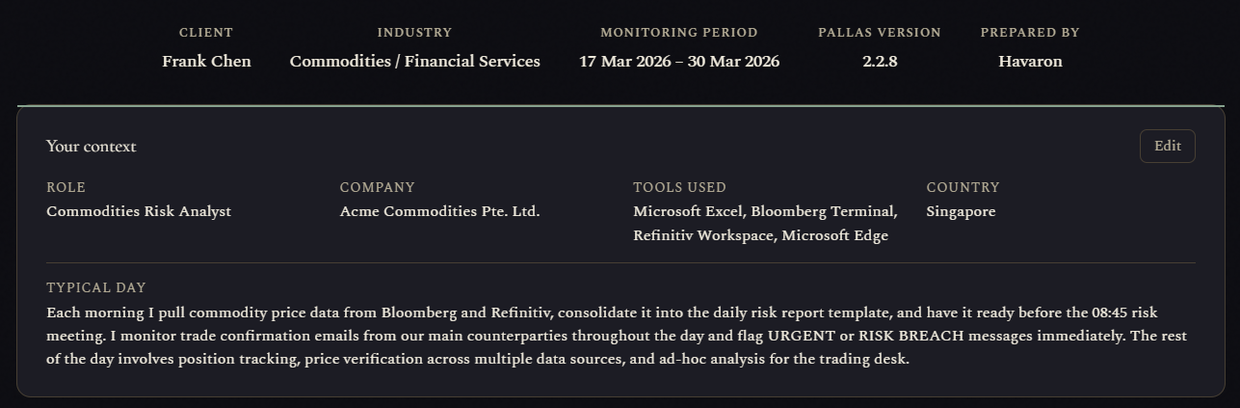
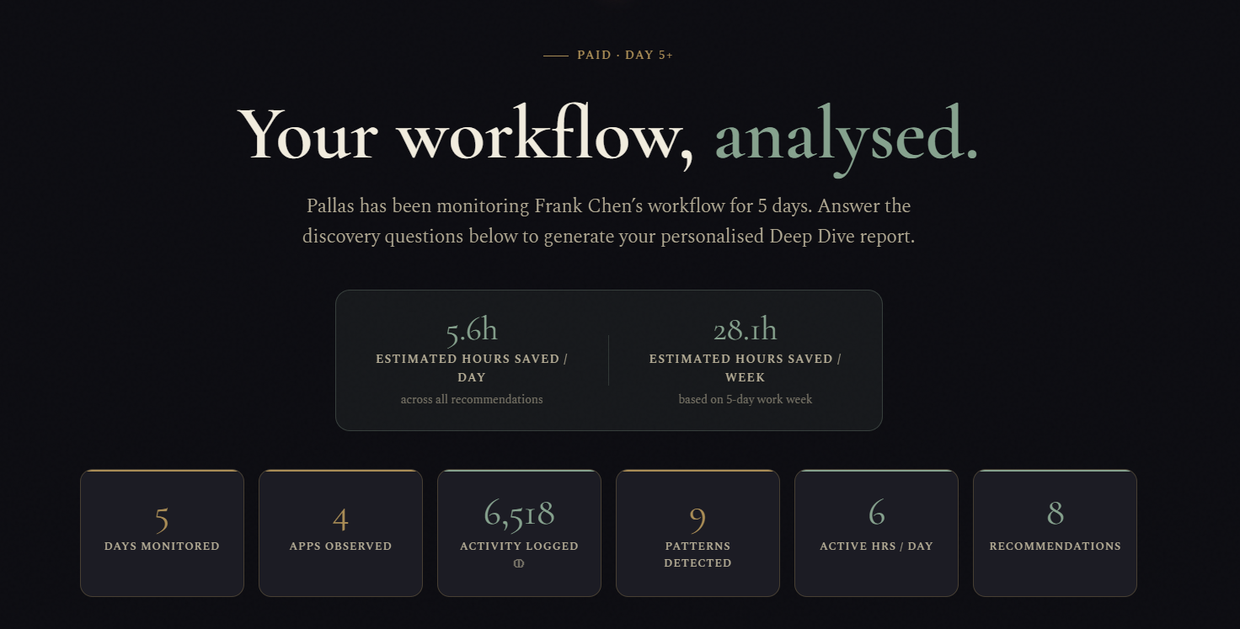
After five working days, sign into your personal dashboard. You'll see app-by-app time breakdowns, AI-detected workflow patterns, and a prioritised list of automation opportunities ranked by time saved per day.
FlowLens tracks how you use your apps — which ones you open, how long you stay, and how you move between them. It never reads what's inside them.
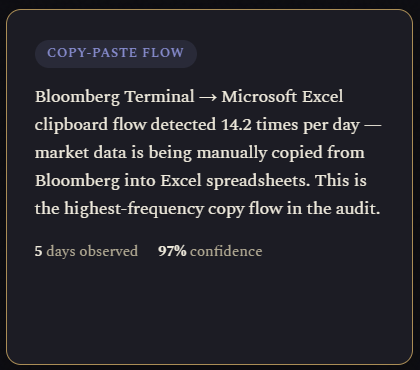
Every time you copy from one app and paste into another, FlowLens records the pair. High-frequency transfers between the same two apps are the clearest signal for a direct integration — one that eliminates the manual step entirely.
Repeated back-and-forth between apps throughout the day indicates missing connections or manual handoffs. Each switch costs focus recovery time. FlowLens counts them and maps the pattern.
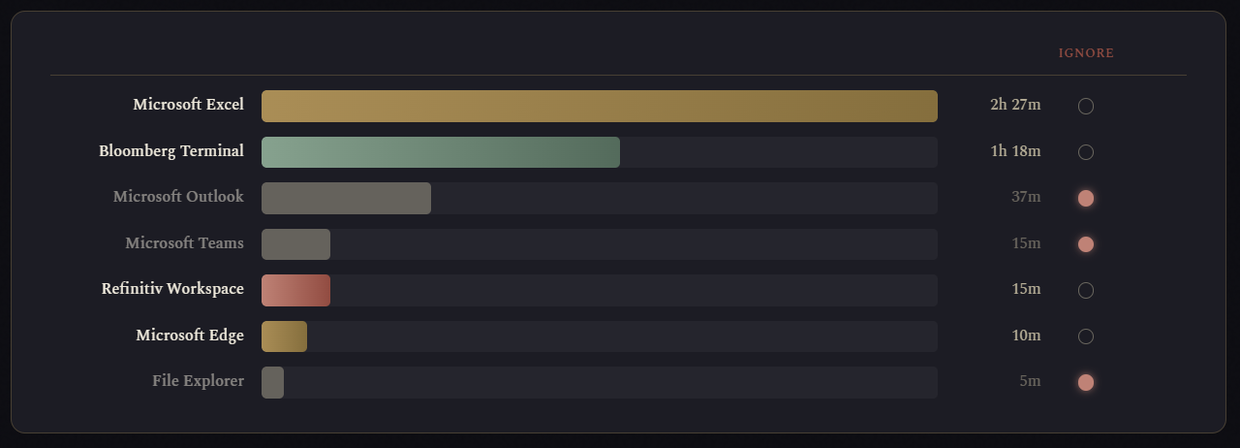
How long you spend in each application per day, over time. Averaged across your working days, this reveals where your hours actually go — which is often surprising compared to where people think they spend their time.
Recurring routines that follow the same order on most working days — the same apps opened in the same sequence. A fixed morning routine is the strongest candidate for full automation.
Which worksheets you switch between, how often, and how long you spend on each. Frequent back-and-forth between specific sheets is a reliable indicator of manual data reconciliation that could be automated.
For Microsoft Excel, PowerPoint, Outlook, Word, Teams, Zoom, and SAP — FlowLens captures richer signals: slide dwell times, meeting frequency, document revisit patterns, and T-code navigation in SAP environments.
FlowLens never captures keystroke content, email text, document content, or anything you type. It observes metadata and behaviour — which apps, how long, in what order — not what's inside them. Your data is stored locally in an encrypted SQLite database on your own machine.
FlowLens runs a lightweight pipeline each evening. The whole process takes under 60 seconds and requires no action from you.
FlowLens was designed with financial, legal, and healthcare professionals in mind. The architecture reflects that.
All raw activity data lives in a SQLite database on your own machine in your Windows AppData folder. It's yours — not ours. FlowLens never accesses it remotely.
Only aggregated, anonymised statistics are synced to the cloud. The raw event log — every app switch, every copy event — stays local. The sync is one-way and append-only.
Any app can be added to your Do Not Track list from the system tray icon. FlowLens will immediately stop capturing events for that application — no restart required.
Under 2% CPU. Under 50 MB RAM including all deep-dive modules. FlowLens is designed to be invisible — you should never notice it's running.
The pipeline runs once at 8pm, or on demand. There's no continuous data stream, no real-time upload, and no background network activity between syncs.
Uninstalling FlowLens removes all local data. Your cloud dashboard data can be deleted on request at hello@havaronai.com.
Log in at havaronai.com/portal/dashboard to see your report. It updates nightly as more data accumulates.
A ranked chart showing exactly how many minutes per day you spend in each application, averaged across all monitored days. Most people are surprised by the result.
Each pattern has a type (copy-paste flow, context switch, daily sequence, or habit), a confidence score, and an estimated time cost per day. Ranked by how much time each pattern consumes.
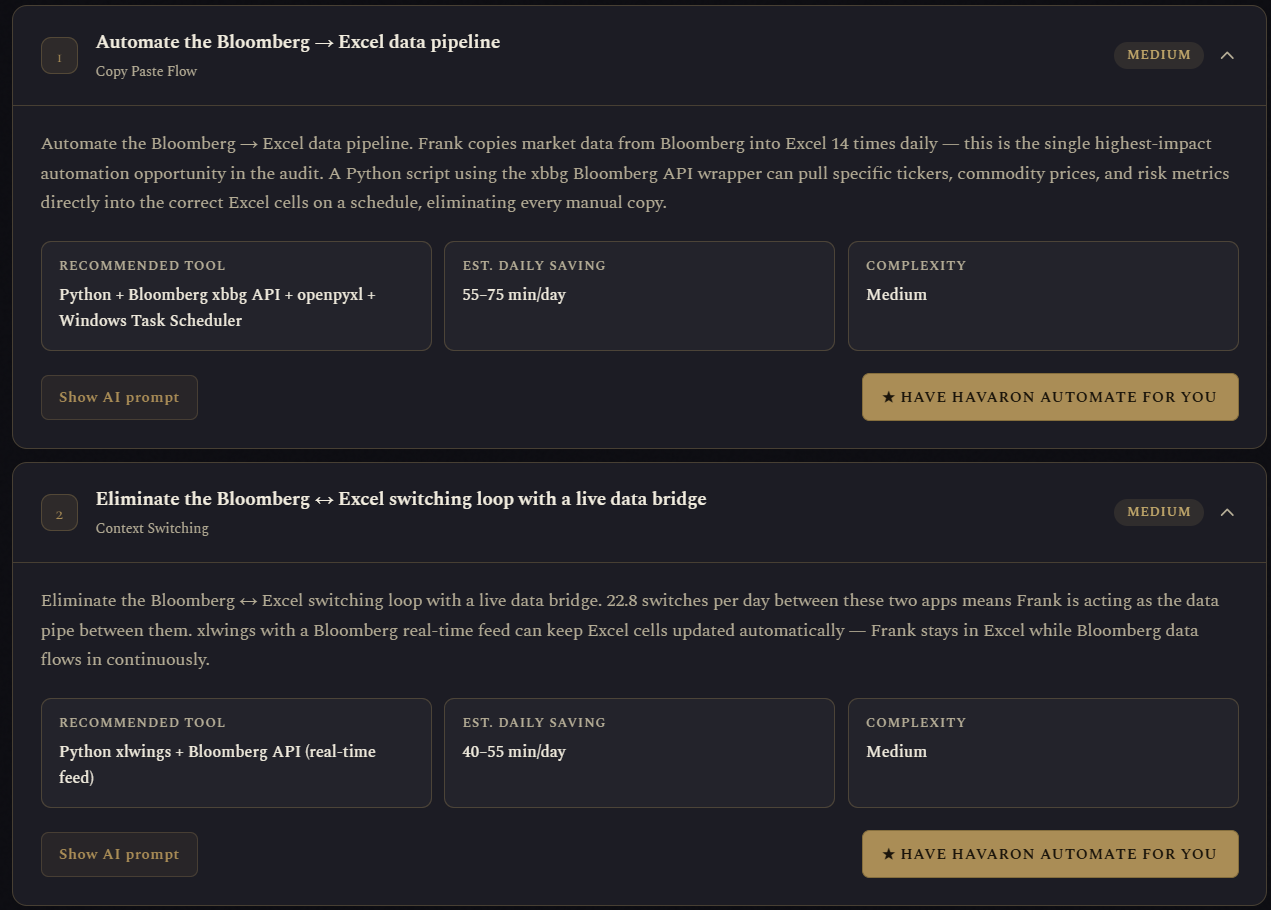
Concrete recommendations tied to your actual patterns — not generic advice. Each one includes the specific tool to use, the complexity to implement, and the estimated minutes saved per day.
Install FlowLens in five minutes. After one working week, you'll have a complete picture of where your time goes — and what's worth doing something about.